Short answer
An llms.txt generator free tool creates a simple Markdown file that tells AI tools what your website is about and which pages matter most. You enter your site name, a one-line summary and your key pages, then upload the file to yourwebsite.com/llms.txt. With the free MyWebRank generator, the whole job takes about 5 minutes.
Key points
- llms.txt is a plain Markdown file placed at yourwebsite.com/llms.txt that gives AI tools a short guide to your website.
- The format was proposed by Jeremy Howard on 3 September 2024, and only the H1 heading with your site name is required.
- A free llms.txt generator like MyWebRank's creates the file in about 5 minutes with no coding or sign-up.
- Google said on 15 May 2026 that llms.txt does not positively or negatively affect rankings in Search.
- An Ahrefs study of 137,210 domains found 97% of llms.txt files received zero requests in May 2026, so robots.txt access matters more.
If you want AI assistants like ChatGPT, Claude and Perplexity to understand your website, an llms.txt file is a quick place to start. Using an llms.txt generator free of cost, you can create one in about 5 minutes without writing any code. This guide explains what the file is, what goes inside it, gives you a template to copy, and shows you how to upload it. We will also be honest about what llms.txt can and cannot do for your rankings.
What is an llms.txt file?
An llms.txt file is a plain text file, written in Markdown, that sits in the main folder of your website so it opens at yourwebsite.com/llms.txt. It gives AI tools a short, clean summary of your business and links to your most useful pages, so they do not have to dig through menus, pop-ups and code.
The format was proposed by Jeremy Howard on 3 September 2024. According to the official llms.txt specification, only one part is required: a heading with your website or project name. Everything else is optional, but it makes the file far more useful.
Here is how it compares with the files your website already has:
- robots.txt tells bots which pages they may and may not visit
- sitemap.xml lists every page for search engines to find
- llms.txt gives AI tools a short, readable guide to your best pages
What goes inside an llms.txt file?
Every llms.txt file follows the same simple structure. You can write it by hand or use an llms.txt file generator to fill it in for you.
| Part | Required? | What to write |
|---|---|---|
| H1 heading (# Name) | Yes | Your business or website name |
| Blockquote (> Summary) | Recommended | One or two lines on what you do and who you serve |
| Details | Optional | Location, timings, key facts about your business |
| H2 sections with links | Recommended | Your important pages, written as - Page name: short note |
| ## Optional section | Optional | Less important links that AI tools can skip |
How to create llms.txt in 5 minutes (step by step)
- Open the generator. Go to the free llms.txt generator on MyWebRank. There is no sign-up.
- Add your name and summary. Write your business name and one clear line about what you do, for example "Family dental clinic in Lajpat Nagar, New Delhi".
- Add your key pages. Pick 5 to 15 pages that matter most: home, services, pricing, about, contact and your best guides.
- Write a short note for each link. One line on what the page covers helps AI tools pick the right page.
- Copy or download the file. Save it with the exact name llms.txt, all lowercase.
- Upload it to your main folder. Use your hosting file manager or FTP so the file opens at yourwebsite.com/llms.txt. On WordPress, some SEO plugins such as Yoast and Rank Math can create it for you.
- Check it works. Open yourwebsite.com/llms.txt in your browser. You should see plain text, not an error page.
llms.txt template you can copy
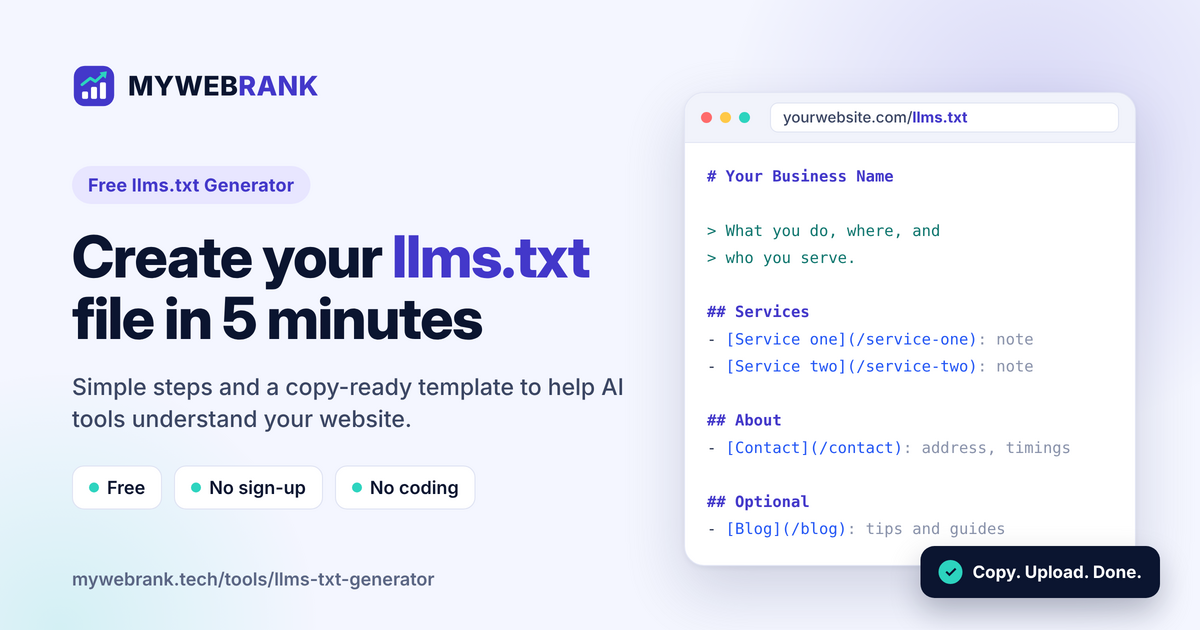
Here is a ready llms.txt template for an example business. Replace the name, summary and links with your own.
# Sharma Dental Care

> Family dental clinic in Lajpat Nagar, New Delhi, offering check-ups, root canal treatment, braces and teeth whitening since 2012.

Open Monday to Saturday, 10 am to 8 pm. Walk-ins and online bookings welcome.

## Services
- [Root canal treatment](https://yourwebsite.com/root-canal): Cost, steps and recovery time
- [Braces and aligners](https://yourwebsite.com/braces): Options for teens and adults
- [Teeth whitening](https://yourwebsite.com/whitening): In-clinic whitening packages

## About
- [Our doctors](https://yourwebsite.com/doctors): Qualifications and experience
- [Contact and location](https://yourwebsite.com/contact): Address, map and timings

## Optional
- [Blog](https://yourwebsite.com/blog): Dental care tips for families
Keep the summary factual and specific. AI tools repeat facts like your city, services and years in business, so put them in plain words.
Does llms.txt help SEO? The honest answer
llms.txt is useful, but it is not a magic ranking switch. Before you spend time on it, know these facts:
- It is not a Google ranking factor. In its AI search guidance published on 15 May 2026, Google said llms.txt will not positively or negatively affect your visibility or rankings in Search.
- Most AI crawlers rarely read it today. An Ahrefs study of 137,210 domains found that 97% of llms.txt files received zero requests in May 2026.
- AI coding tools do use it. Developer tools and AI agents read llms.txt, so it matters most for software, SaaS and documentation websites.
- It costs nothing and takes 5 minutes. If AI platforms start using it more, your site is already ready.
So create the file, keep it accurate, and then spend most of your effort on the things that actually help AI recommend your business.
What matters more than llms.txt for AI visibility
If you want ChatGPT, Gemini and Google AI Overviews to mention your business, focus on these first:
- Let AI bots in. Make sure your robots.txt does not block GPTBot, ClaudeBot or PerplexityBot. Test it with our AI crawler checker and read our guide to robots.txt for AI crawlers.
- State clear business facts. Your name, city, services, prices and timings should be written as plain text on your pages, not hidden in images.
- Add schema markup. Organization, LocalBusiness and FAQ schema help Google and AI tools read your details correctly.
- Answer real customer questions. Pages that answer questions in 40 to 60 words are the ones AI Overviews quote.
- Get mentioned elsewhere. Reviews, directories and articles about your business tell AI tools you are trusted.
Common llms.txt mistakes to avoid
- Putting the file in a subfolder such as /blog/llms.txt when you want it to cover your whole website
- Linking to broken, redirected or noindex pages
- Stuffing the summary with keywords instead of plain facts
- Listing hundreds of links instead of your 5 to 15 most important pages
- Forgetting to update the file when you add or remove services
Check your whole website for AI readiness
Your llms.txt file is one small piece of the picture. To see how Google and AI assistants really see your business, run a free website check on MyWebRank. In about 30 seconds you get your Found Score, whether ChatGPT and Gemini can read your site, and the top 3 fixes to make first. No sign-up needed.
Frequently asked questions
Is llms.txt the same as robots.txt?
No. robots.txt tells bots which pages they are allowed to visit. llms.txt is a short guide that tells AI tools what your website is about and which pages matter most. You need robots.txt to control access; llms.txt is an optional extra.
Where do I upload my llms.txt file?
Upload it to the main (root) folder of your website so it opens at yourwebsite.com/llms.txt. Use your hosting file manager, FTP, or an SEO plugin that creates it for you.
Is there a free llms.txt generator?
Yes. The MyWebRank llms.txt generator is free and needs no sign-up. Enter your site name, a summary and your key pages, then copy the finished file.
Does ChatGPT use llms.txt?
OpenAI has not said that its crawlers use llms.txt. Its crawler, GPTBot, follows your robots.txt rules, so make sure robots.txt allows it if you want to appear in ChatGPT answers.
How often should I update my llms.txt file?
Update it whenever you add or remove an important page or service. A quick review every 3 months keeps it accurate.